WheareAI

WheareAI

WheareAI

AI Wardrobe App

AI Wardrobe App

AI Wardrobe App

Overview

Overview

The Problem

Getting dressed is a context problem, not a taste problem. You don't need more clothes — you need to know what to wear to the 7pm dinner in this weather with that person. WheareAI started from that question.

The Problem

Getting dressed is a context problem, not a taste problem. You don't need more clothes — you need to know what to wear to the 7pm dinner in this weather with that person. WheareAI started from that question.

My Role

Founding Product Designer and Front-End Engineer for WheareAI.

An AI wardrobe and outfit-discovery app built in React Native (Expo). I was the only designer and the only engineer. Everything from the first Figma frame to the production build was mine.

My Role

Founding Product Designer and Front-End Engineer for WheareAI.

An AI wardrobe and outfit-discovery app built in React Native (Expo). I was the only designer and the only engineer. Everything from the first Figma frame to the production build was mine.

Tech Stack

Claude

LLM

Cursor

AI-IDE

Figma

Design Tool

JavaScript

Programming Language

React Native

User Interface Library

TypeScript

Programming Language

Tech Stack

Claude

LLM

Cursor

AI-IDE

Figma

Design Tool

JavaScript

Programming Language

React Native

User Interface Library

TypeScript

Programming Language

Tech Stack

Claude

LLM

Cursor

AI-IDE

Figma

Design Tool

JavaScript

Programming Language

React Native

User Interface Library

TypeScript

Programming Language

Created

Created

2024-2026

Process

Process

Key Design Decisions

Swipe as the primary feedback system

We chose swipe-based FIT / NOT IT over star ratings or explicit tagging because it mirrors how people actually make quick decisions on a phone. Additionally, it generates preference data without asking users to think. The tradeoff was less granular signal per swipe. The plan was to offset that with volume over time, feeding a recommendation model as the user's closet and swipe history grew together. That backend layer was scoped but never shipped before the startup wound down.

Occasion + Location + Weather as recommendation axes

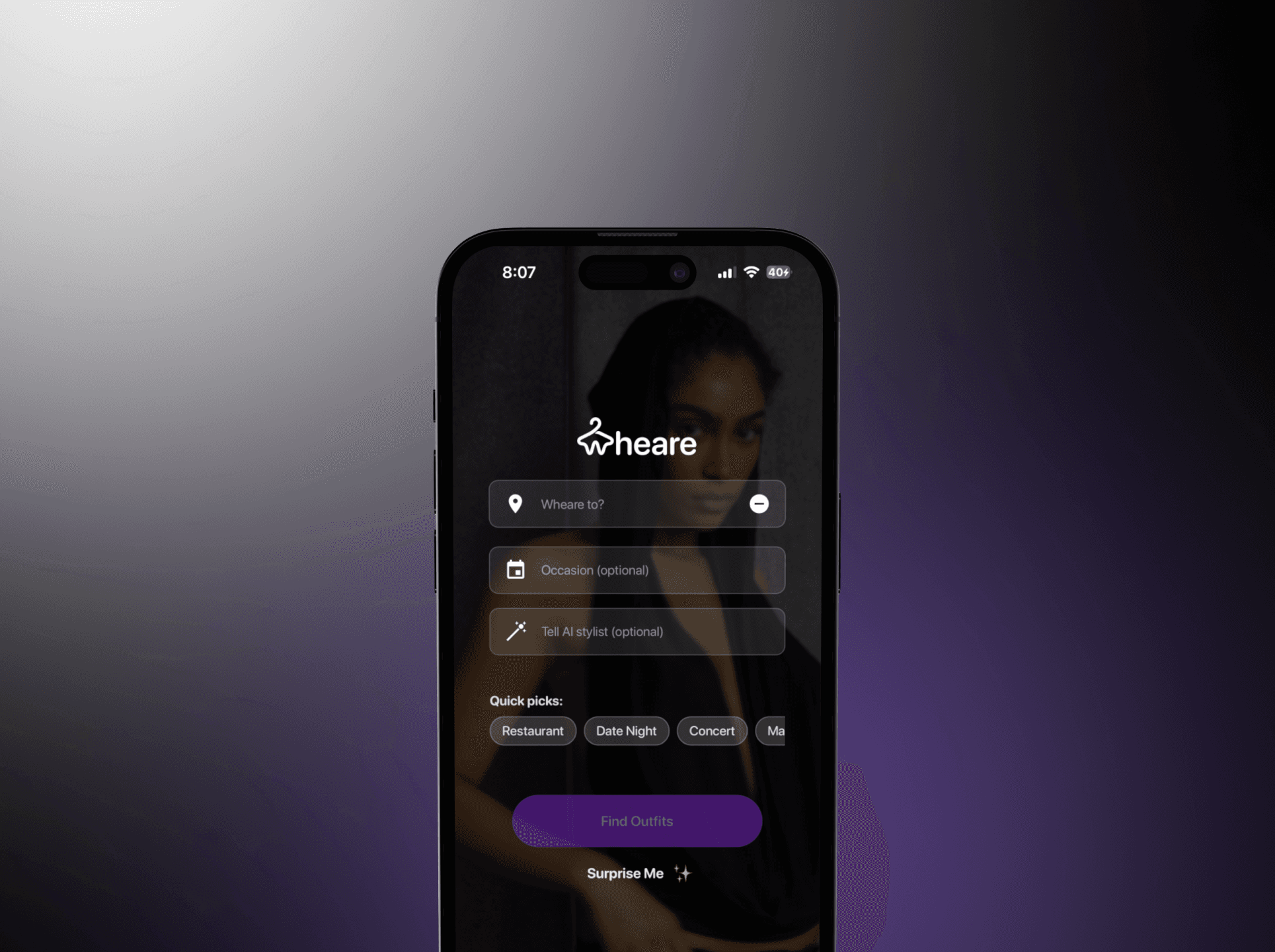
Rather than a generic "suggest an outfit" prompt, we structured recommendations around three contextual inputs (getting dressed is a situational problem, not a taste problem).The right outfit for a Tuesday commute is wrong for a Saturday dinner. This shaped the entire information architecture of the Whearables tab.

AI segmentation on clothing upload

The upload flow had one job: make adding clothes fast enough that users would actually do it. I designed the camera UX and confirmation step around an AI segmentation handoff — the model was supposed to auto-crop and classify each item so the user's only job was to point and confirm. The backend and model were scoped but never shipped before the startup wound down.
Key Design Decisions

Swipe as the primary feedback system

We chose swipe-based FIT / NOT IT over star ratings or explicit tagging because it mirrors how people actually make quick decisions on a phone. Additionally, it generates preference data without asking users to think. The tradeoff was less granular signal per swipe. The plan was to offset that with volume over time, feeding a recommendation model as the user's closet and swipe history grew together. That backend layer was scoped but never shipped before the startup wound down.

Occasion + Location + Weather as recommendation axes

Rather than a generic "suggest an outfit" prompt, we structured recommendations around three contextual inputs (getting dressed is a situational problem, not a taste problem).The right outfit for a Tuesday commute is wrong for a Saturday dinner. This shaped the entire information architecture of the Whearables tab.

AI segmentation on clothing upload

The upload flow had one job: make adding clothes fast enough that users would actually do it. I designed the camera UX and confirmation step around an AI segmentation handoff — the model was supposed to auto-crop and classify each item so the user's only job was to point and confirm. The backend and model were scoped but never shipped before the startup wound down.

Key Design Decisions

Swipe as the primary feedback system

We chose swipe-based FIT / NOT IT over star ratings or explicit tagging because it mirrors how people actually make quick decisions on a phone. Additionally, it generates preference data without asking users to think. The tradeoff was less granular signal per swipe. The plan was to offset that with volume over time, feeding a recommendation model as the user's closet and swipe history grew together. That backend layer was scoped but never shipped before the startup wound down.

Occasion + Location + Weather as recommendation axes

Rather than a generic "suggest an outfit" prompt, we structured recommendations around three contextual inputs (getting dressed is a situational problem, not a taste problem).The right outfit for a Tuesday commute is wrong for a Saturday dinner. This shaped the entire information architecture of the Whearables tab.

AI segmentation on clothing upload

The upload flow had one job: make adding clothes fast enough that users would actually do it. I designed the camera UX and confirmation step around an AI segmentation handoff — the model was supposed to auto-crop and classify each item so the user's only job was to point and confirm. The backend and model were scoped but never shipped before the startup wound down.

Onboarding Flow

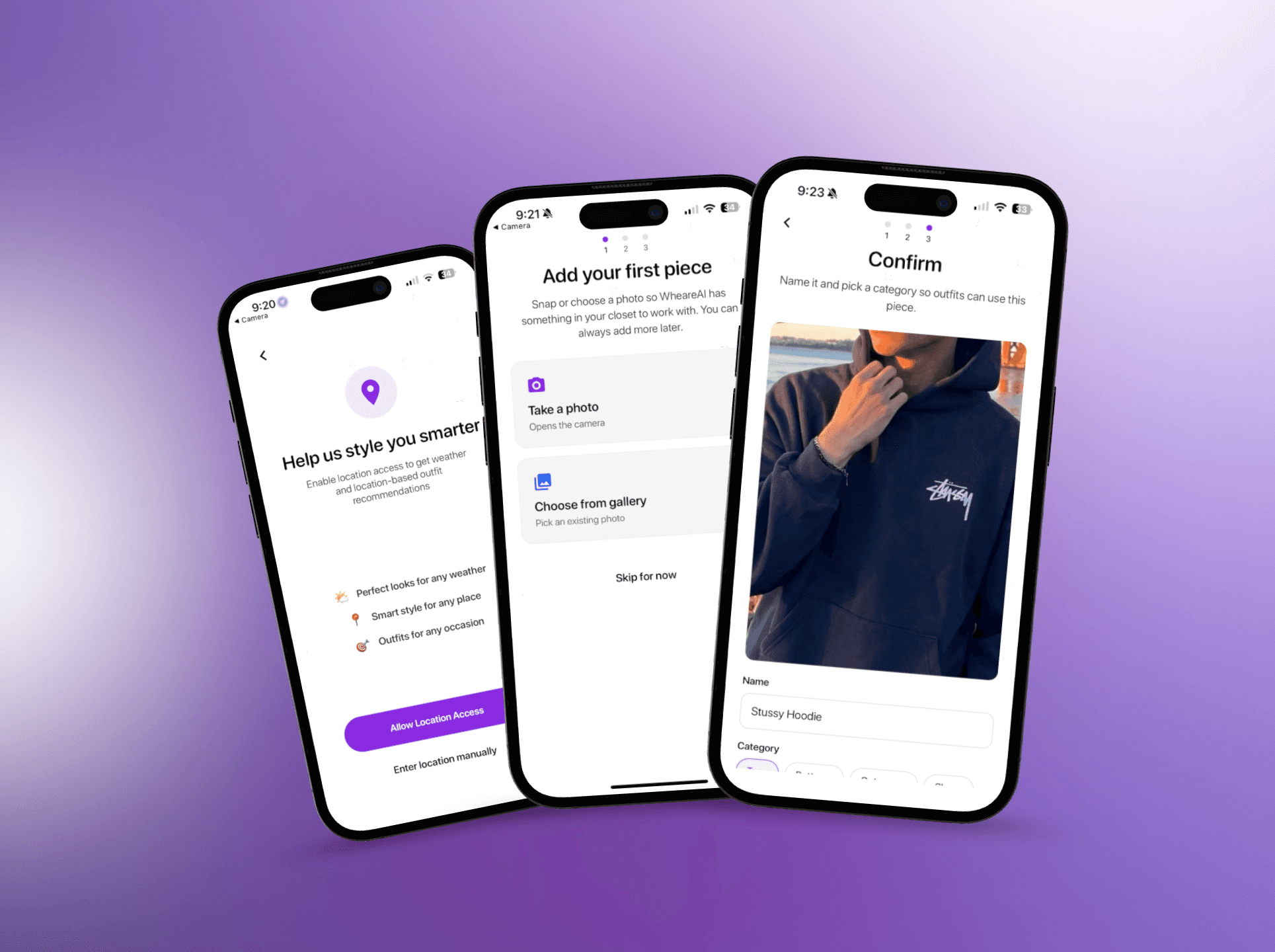
Onboarding had one job: get clothes into the closet fast enough that the app had something to work with. We designed a three-step camera flow that reduced the upload to a single point-and-confirm action.

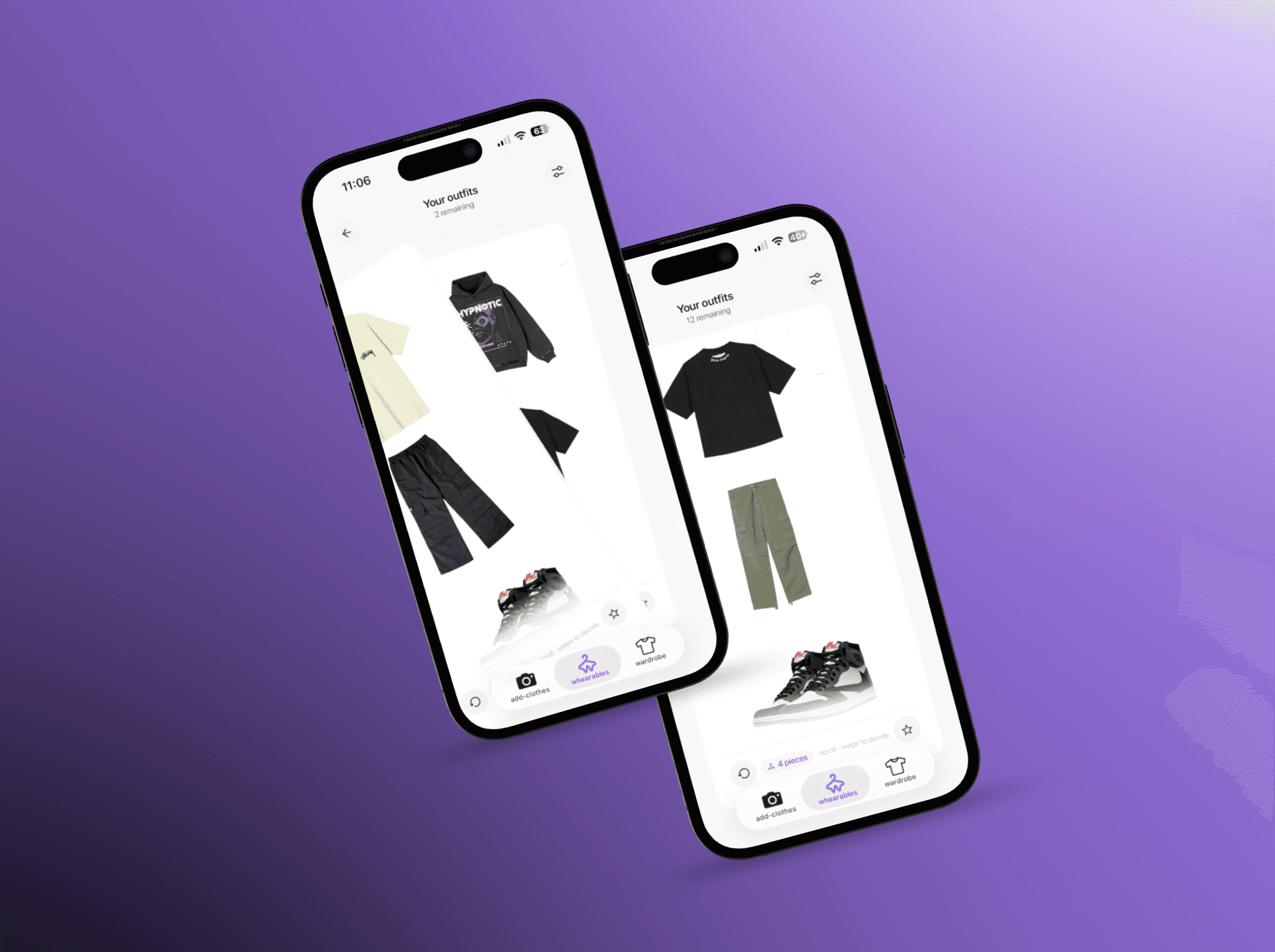
Whearables & Swipe UX

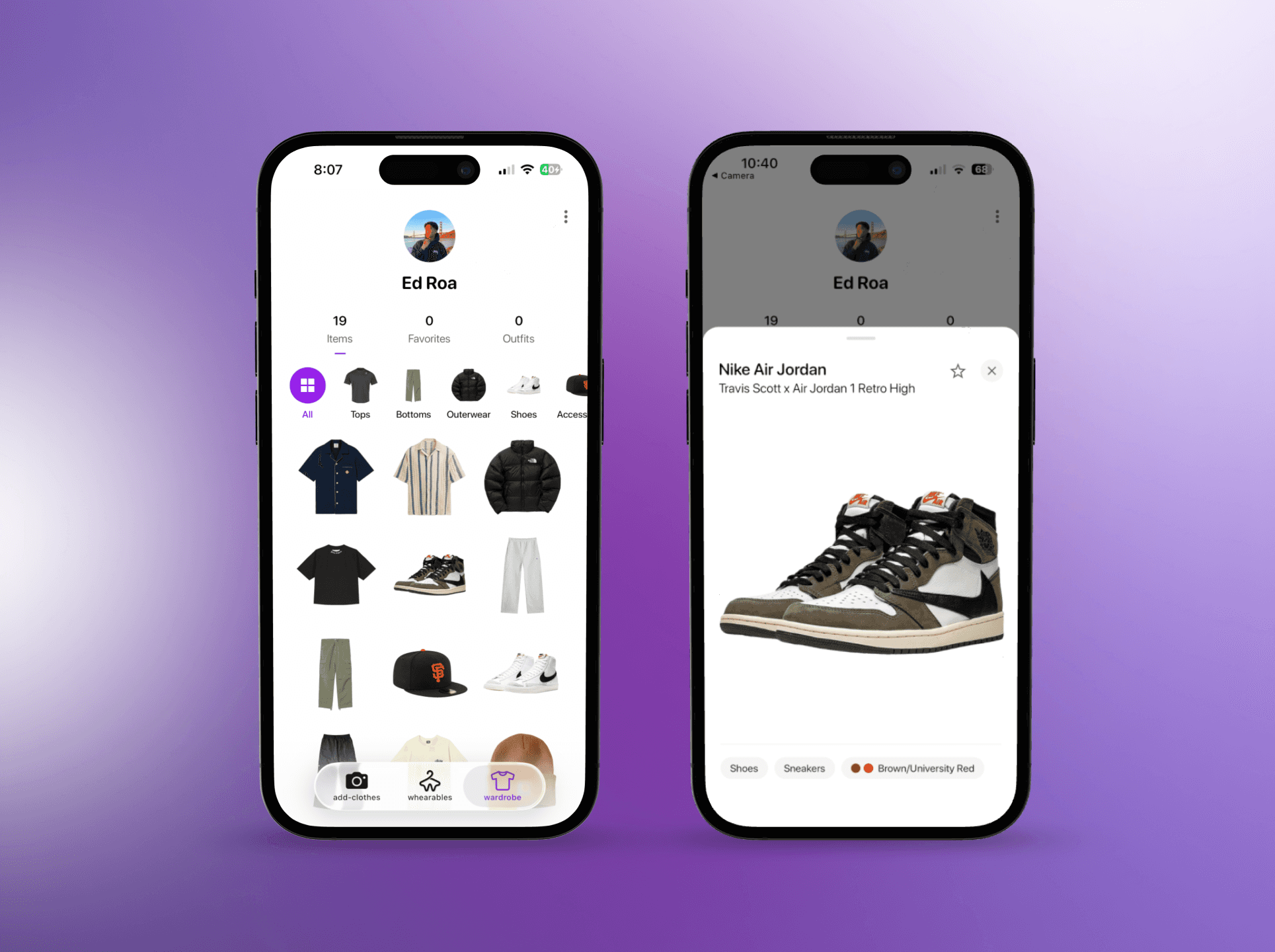
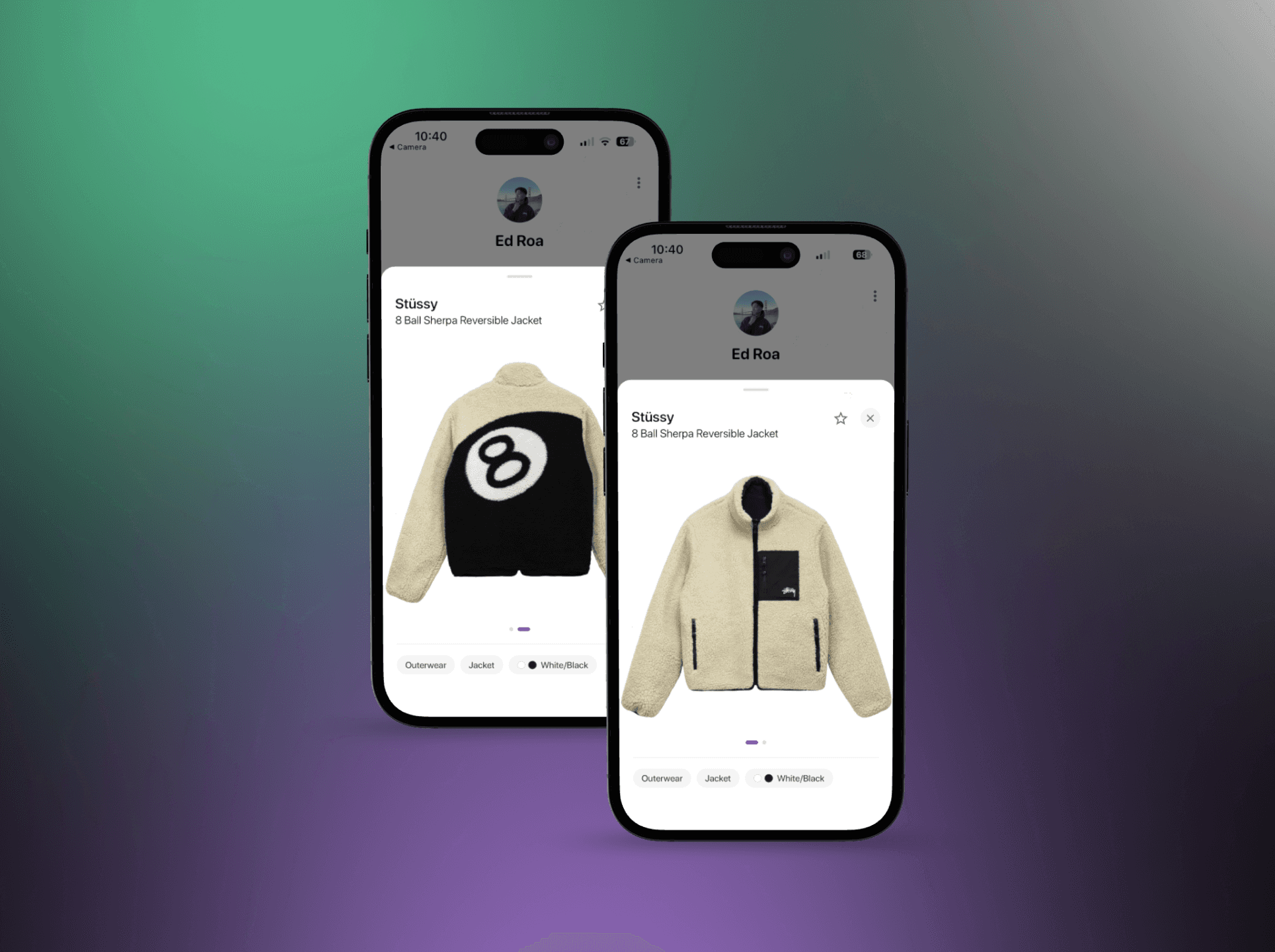
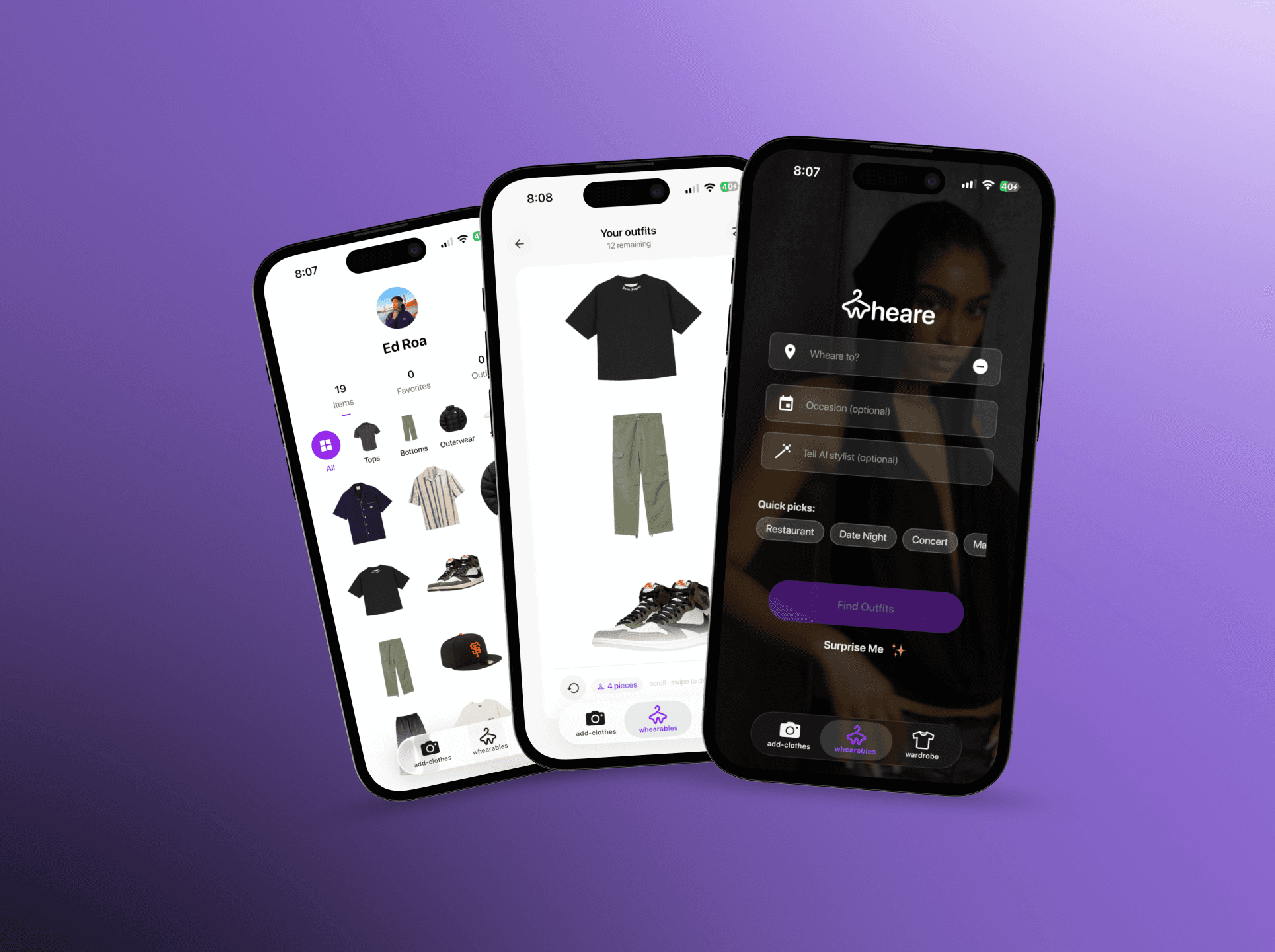
The whole product hinges on three things: getting clothes into the closet, surfacing Whearables (recommendations), and closing the loop with feedback. I designed and built the main tab architecture (closet, add flows, Whearables), the interaction patterns (gestures, loading, empty states), and the swipe experience — so recommendations feel fast and legible on a real device, not just in a static mock.

Design System

I defined a design system in Figma — type, color, components — and translated it 1:1 into a React Native library so every screen stayed visually consistent and easy to extend. That cut one-off styles completely. Handoff was unnecessary because I was both designer and implementer — decisions in Figma showed up the same way in the app.

I deliberately used frosted, glass-style surfaces (blur-backed cards and layered translucency) on key flows — specifically the navigation bar — so the UI felt light and native without maintaining a fully custom chrome. The tab bar follows iOS's native pattern for familiarity and less engineering overhead.
Onboarding Flow

Onboarding had one job: get clothes into the closet fast enough that the app had something to work with. We designed a three-step camera flow that reduced the upload to a single point-and-confirm action.

Whearables & Swipe UX

The whole product hinges on three things: getting clothes into the closet, surfacing Whearables (recommendations), and closing the loop with feedback. I designed and built the main tab architecture (closet, add flows, Whearables), the interaction patterns (gestures, loading, empty states), and the swipe experience — so recommendations feel fast and legible on a real device, not just in a static mock.

Design System

I defined a design system in Figma — type, color, components — and translated it 1:1 into a React Native library so every screen stayed visually consistent and easy to extend. That cut one-off styles completely. Handoff was unnecessary because I was both designer and implementer — decisions in Figma showed up the same way in the app.

I deliberately used frosted, glass-style surfaces (blur-backed cards and layered translucency) on key flows — specifically the navigation bar — so the UI felt light and native without maintaining a fully custom chrome. The tab bar follows iOS's native pattern for familiarity and less engineering overhead.

Onboarding Flow

Onboarding had one job: get clothes into the closet fast enough that the app had something to work with. We designed a three-step camera flow that reduced the upload to a single point-and-confirm action.

Whearables & Swipe UX

The whole product hinges on three things: getting clothes into the closet, surfacing Whearables (recommendations), and closing the loop with feedback. I designed and built the main tab architecture (closet, add flows, Whearables), the interaction patterns (gestures, loading, empty states), and the swipe experience — so recommendations feel fast and legible on a real device, not just in a static mock.

Design System

I defined a design system in Figma — type, color, components — and translated it 1:1 into a React Native library so every screen stayed visually consistent and easy to extend. That cut one-off styles completely. Handoff was unnecessary because I was both designer and implementer — decisions in Figma showed up the same way in the app.

I deliberately used frosted, glass-style surfaces (blur-backed cards and layered translucency) on key flows — specifically the navigation bar — so the UI felt light and native without maintaining a fully custom chrome. The tab bar follows iOS's native pattern for familiarity and less engineering overhead.

Conclusion

Conclusion

Social Vision & Roadmap

The MVP was always solo-first, but social discovery was in the roadmap from day one. The profile picture in the wardrobe wasn't accidental — it was a foundation for future friend-to-friend wardrobes. The plan was a subscription tier where users could browse friends' closets and save their favorited outfits. Classic social hook: turn a solo utility into a discovery layer, put the highest-engagement feature behind the paywall.

How I worked (and what stuck)

As a founding designer–engineer, the tradeoffs were constant: depth vs. time, polish vs. scope, native feel vs. solo bandwidth. I leaned on clear component patterns, reuse, and AI-assisted coding to ship a real consumer product without a team. If I had another cycle, I'd instrument the swipe feed from day one — I'd want to know at what swipe count recommendations started feeling personal, and design the onboarding length around that number.


Social Vision & Roadmap

The MVP was always solo-first, but social discovery was in the roadmap from day one. The profile picture in the wardrobe wasn't accidental — it was a foundation for future friend-to-friend wardrobes. The plan was a subscription tier where users could browse friends' closets and save their favorited outfits. Classic social hook: turn a solo utility into a discovery layer, put the highest-engagement feature behind the paywall.

How I worked (and what stuck)

As a founding designer–engineer, the tradeoffs were constant: depth vs. time, polish vs. scope, native feel vs. solo bandwidth. I leaned on clear component patterns, reuse, and AI-assisted coding to ship a real consumer product without a team. If I had another cycle, I'd instrument the swipe feed from day one — I'd want to know at what swipe count recommendations started feeling personal, and design the onboarding length around that number.


Social Vision & Roadmap

The MVP was always solo-first, but social discovery was in the roadmap from day one. The profile picture in the wardrobe wasn't accidental — it was a foundation for future friend-to-friend wardrobes. The plan was a subscription tier where users could browse friends' closets and save their favorited outfits. Classic social hook: turn a solo utility into a discovery layer, put the highest-engagement feature behind the paywall.

How I worked (and what stuck)

As a founding designer–engineer, the tradeoffs were constant: depth vs. time, polish vs. scope, native feel vs. solo bandwidth. I leaned on clear component patterns, reuse, and AI-assisted coding to ship a real consumer product without a team. If I had another cycle, I'd instrument the swipe feed from day one — I'd want to know at what swipe count recommendations started feeling personal, and design the onboarding length around that number.


Next Project

Next Project

Next Project

Diskify

Diskify

Diskify

->

->

Ed Roa © 2026

Ed Roa © 2026