
- Role
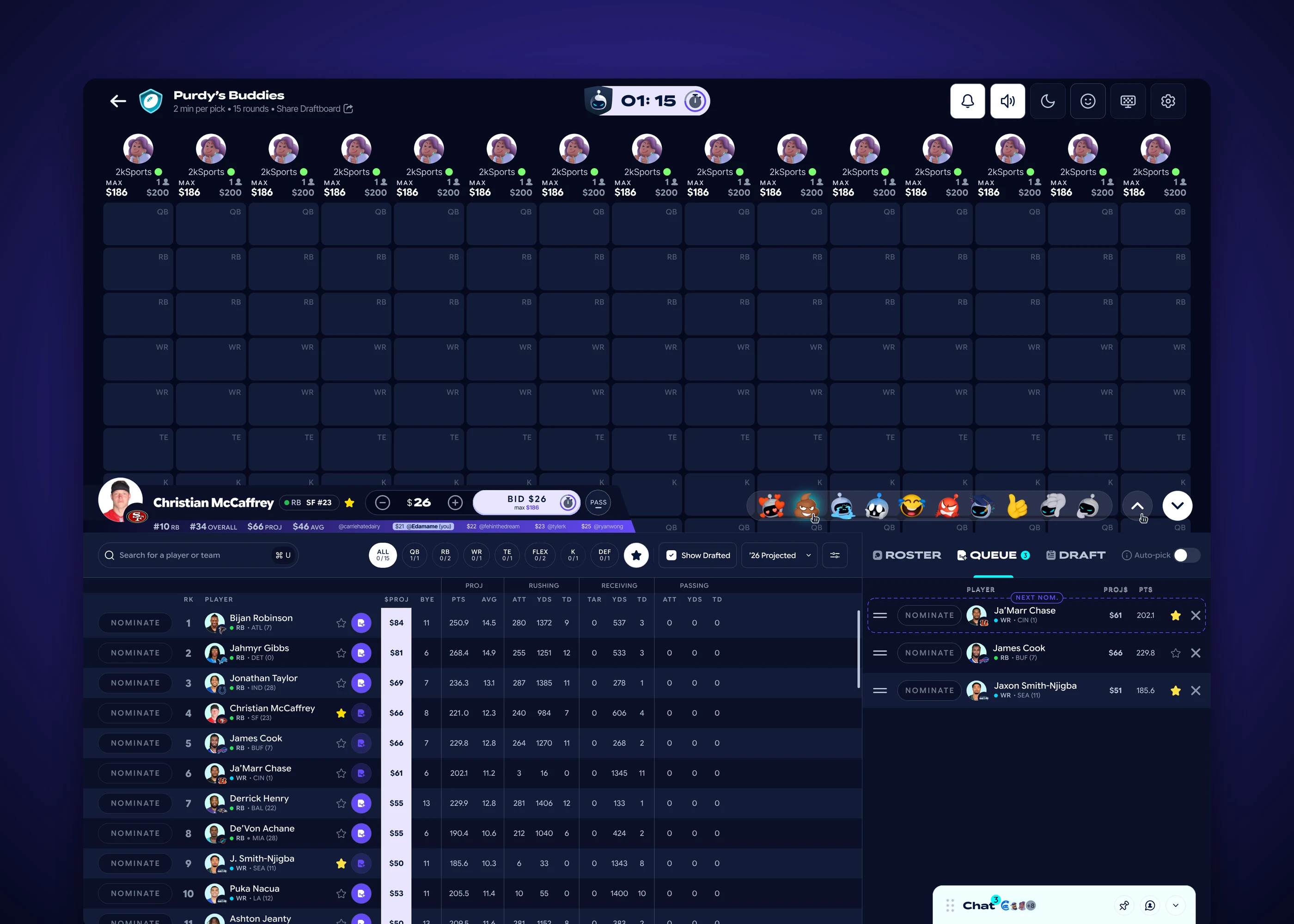
- Bid bar, timer, Roster / Queue / Draft panels and filters
- Outcome
- Designed and handed off
- Key calls
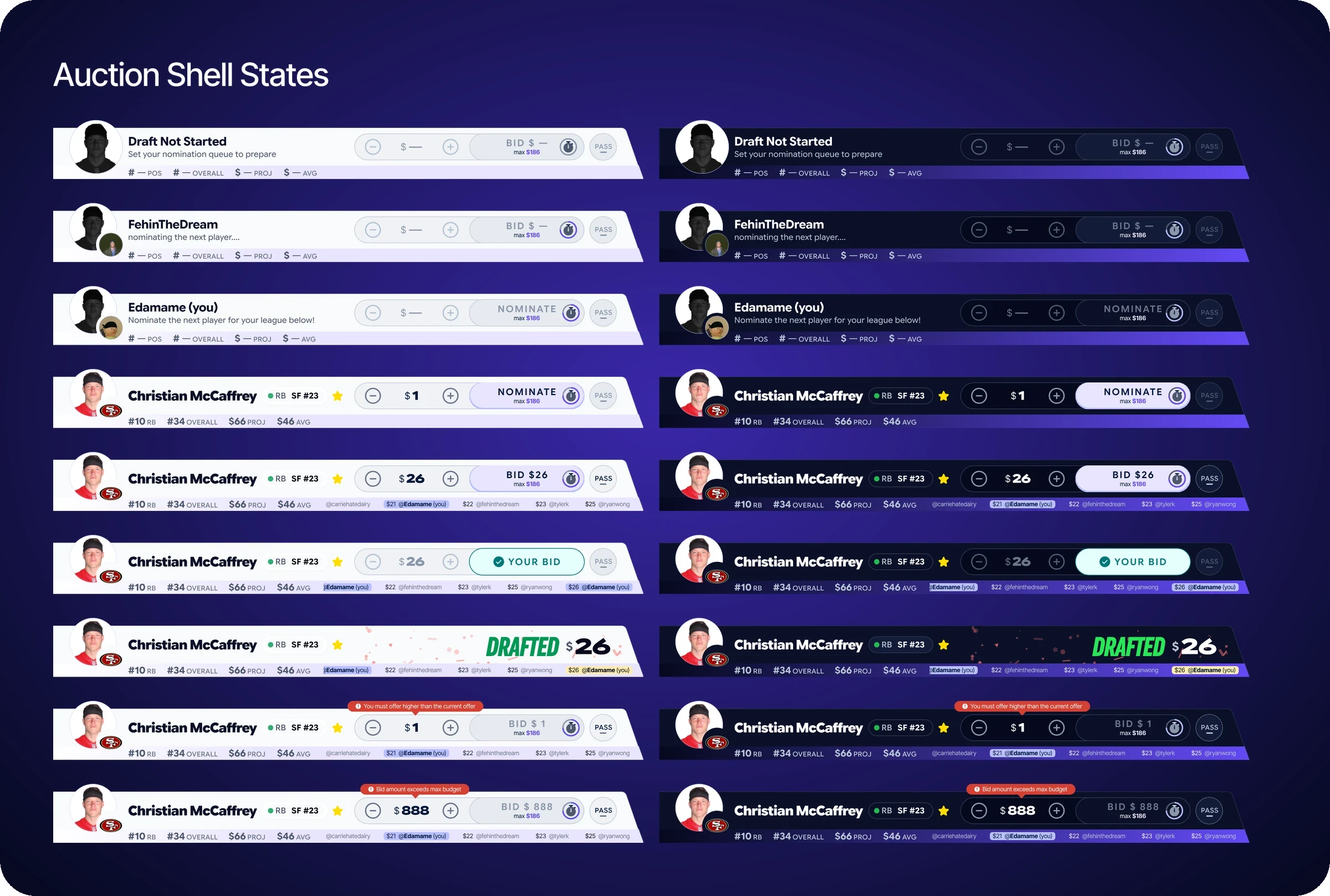
- Nine states, one layout
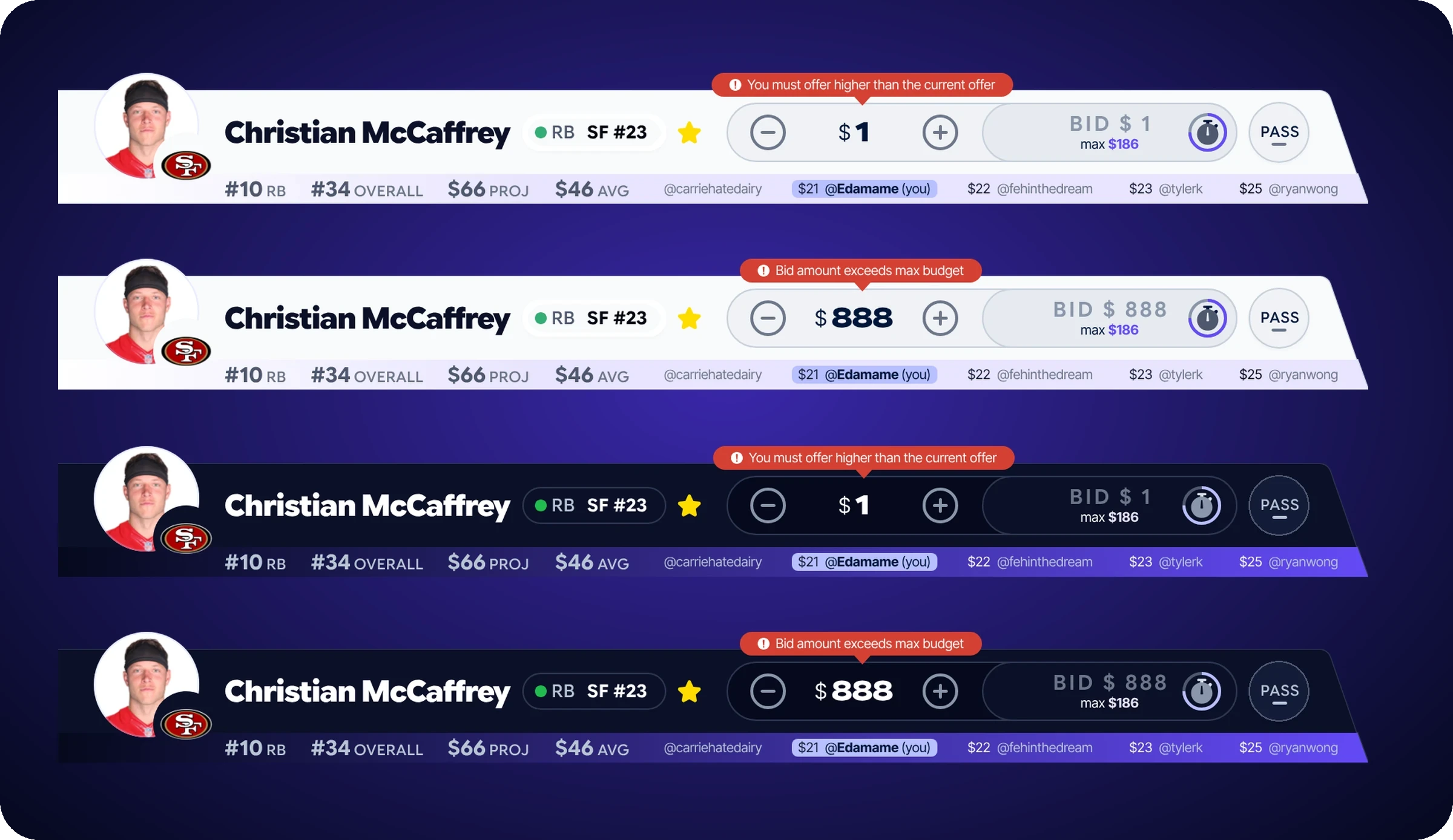
- Errors where the eye already is
- Bid history in the bar
- Play the bid bar
The Problem
Sleeper is trusted by 13+ million players. Auction works differently from snake and linear. Nobody picks in turn. One person nominates a player, then everyone bids against a budget and a clock, so a budget, a countdown and a room full of bidders all compete for attention.
My Role
Product Design Intern at Sleeper (Blitz Studios), June to August 2026.
I worked inside the design team’s new 2026–27 design system, which they set up before my internship, alongside two other interns. I redesigned the web auction draftboard: the bid bar and its timer, the Roster, Queue and Draft panels, and the filters. The board grid, team headers and player table are the design team’s. Designed and handed off.
Tools: Figma, Figma MCP and Claude (prototyping).


Created
2026
Purple for auction, teal for everything else
Snake and linear drafts use Sleeper’s teal. I was asked to use purple as the accent for auction so the two draft types feel different at a glance.
Design the bar as a set of states
In a live auction one bar has to say whose turn it is, what the price is, who’s winning, and what just went wrong. I designed the bid bar as nine states: draft not started, a leaguemate nominating, your turn undecided, your turn decided, a leaguemate holding the highest bid, you holding the highest bid, drafted, and two errors.
Across all nine, the player, the price controls, the main button and Pass stay in the same place. The bid amount and the main button share one pill, so the number you’re about to commit sits right next to the button that commits it. Only the status line and the button’s label and color change, so you learn the bar once and then read it at a glance.
Try it
An interactive recreation of the bid bar, built from my frames, running a short demo draft with a faster clock. The rules are the ones I designed for: a $200 budget, a max bid of your budget minus $1 for every roster spot you still have to fill, a clock that resets on every bid, and if you don’t nominate in time, the highest-projected player in your queue goes up for you. Bid against your leaguemates, try an amount that’s too low or over budget, and switch between light and dark. It’s a desktop experience, so on a phone it shows a note instead.

Put errors where the eye already is
“You must offer higher than the current offer” and “Bid amount exceeds max budget” appear right above the amount you typed. The amount stays in the field and the bid button greys out, so you can fix it before the clock runs out.
Show the bid history in the bar
Recent bids run along the bottom of the bar, under the player’s stats, with the amount and who made each one. Your own bids are highlighted, and the newest, highest bid sits at the right end. You can read the room without opening another panel.
The Drafted moment
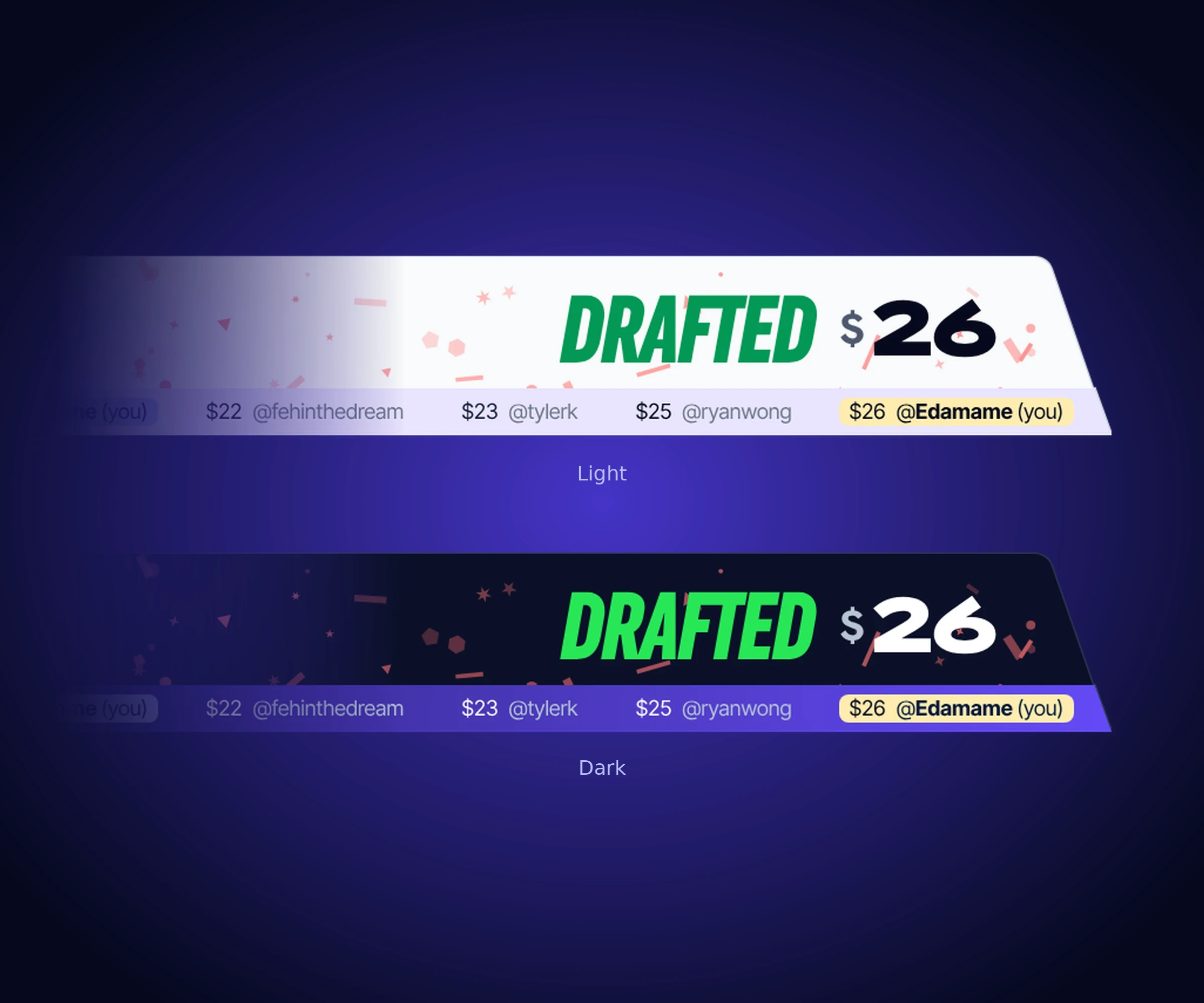
When you win a player, the bar says DRAFTED with the price you paid. My original design had subtle confetti behind it, a small congratulations for getting the player you wanted. It was cut in review. I argued for it as a fantasy player myself, but an opinion is easy to set aside. Next time I’d bring a prototype, not just my opinion. The recreation above keeps the confetti, so you can see what I was arguing for.
Roster, Queue, Draft
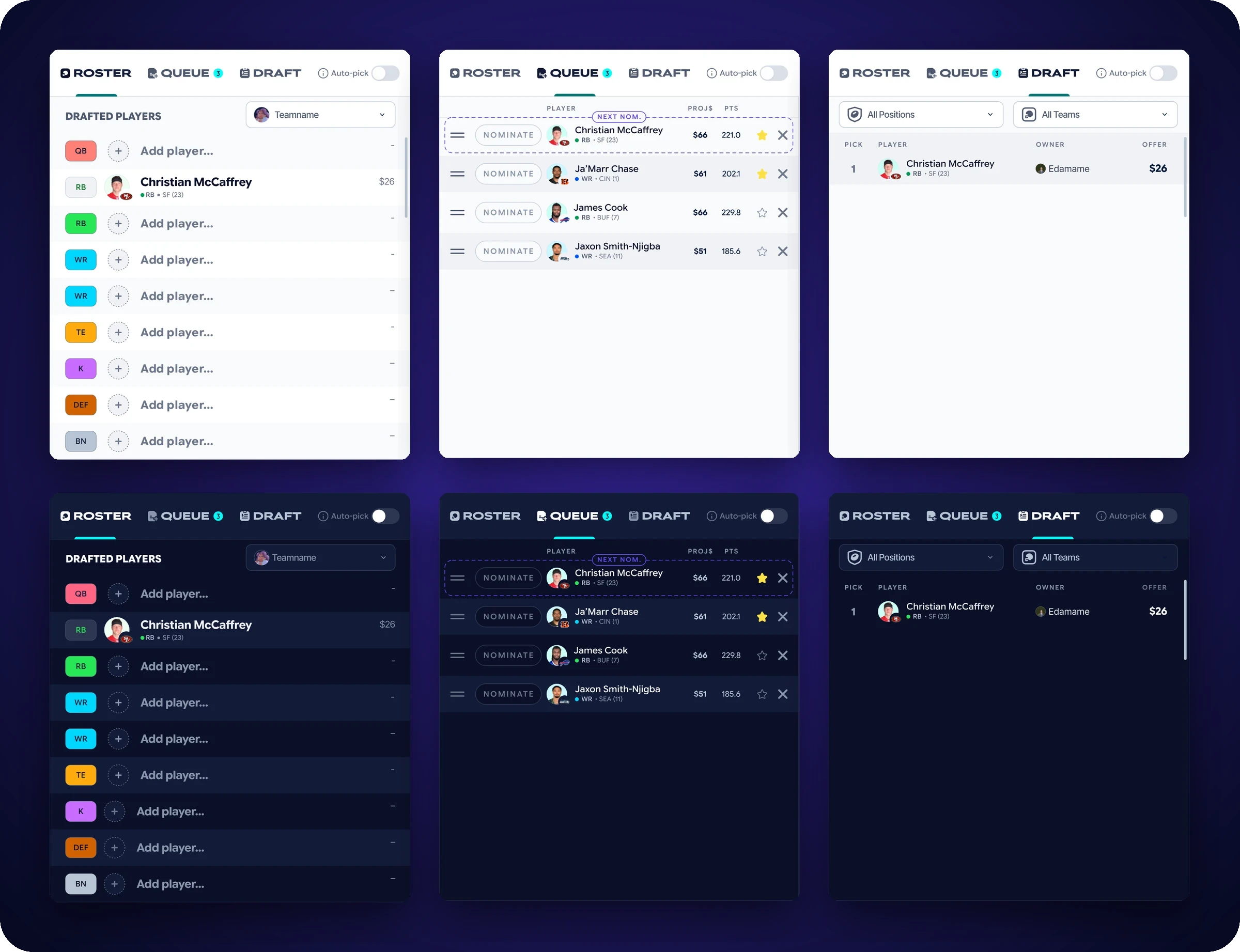
The old board’s right panel was Queue, Results and Chat. I proposed Roster, Queue and Draft, with Auto-pick staying in view, and chat moved out of the tab strip into its own modal. Queue rows can be reordered, nominated straight from the row, and starred, with a “Next Nom.” tag on the one that’s up. The Draft panel lists each pick with its owner and price, filterable by position and team. Roster shows each slot and what you paid.
Filters in a modal
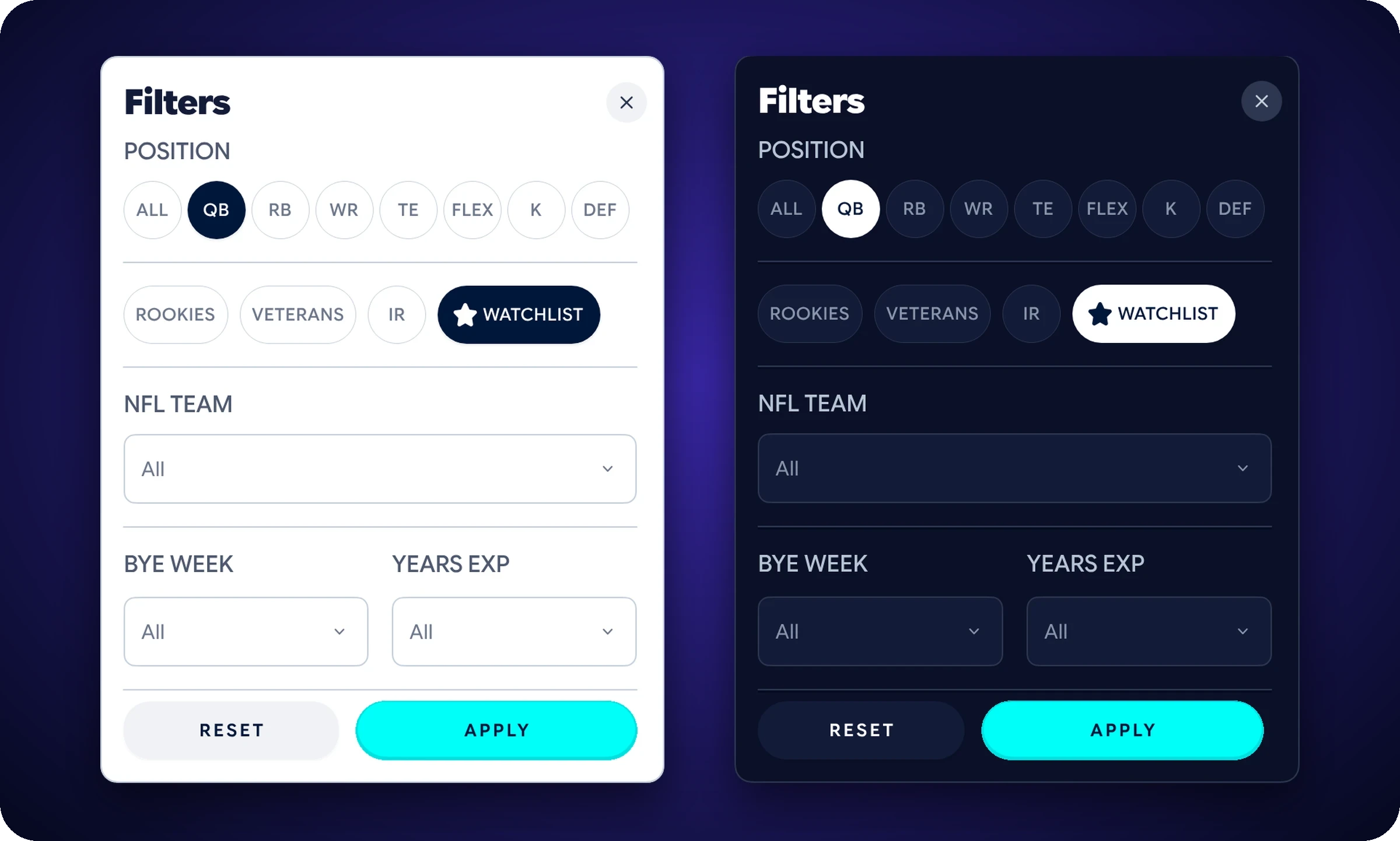
The old board kept its filters in the table header. I added a filters modal on top of the quick position pills: position, rookies, veterans, IR, watchlist, NFL team, bye week and years of experience, with Reset and Apply.
What Happened Next
The new draftboard went into beta for snake and linear drafts. Auction isn’t in the beta yet. Snake and linear are turn-based, so they were a simpler problem. Auction adds a budget, a clock, nominations and a room of simultaneous bidders, which makes it a much bigger one. The snake and linear beta also moved chat into a panel you can pull out and move around, in place of the Draft panel. My chat was movable too, but as its own modal that collapses to a bar, so the Draft panel stayed.
What I’d Do Differently
I’d prototype the countdown. A timer is something you have to feel, and static frames can’t show it. At WheareAI I prototyped in Expo the whole way through, testing every flow on a real phone. Here the timeline was short, so I stayed in static frames. So I built one: the interactive recreation on this page.
I’d also document the states and variants inside the file as I build, not at the end. I lost access to Sleeper’s main Figma file when the internship ended, so the component logic stayed there, and a handoff shouldn’t depend on me being around to explain it.