
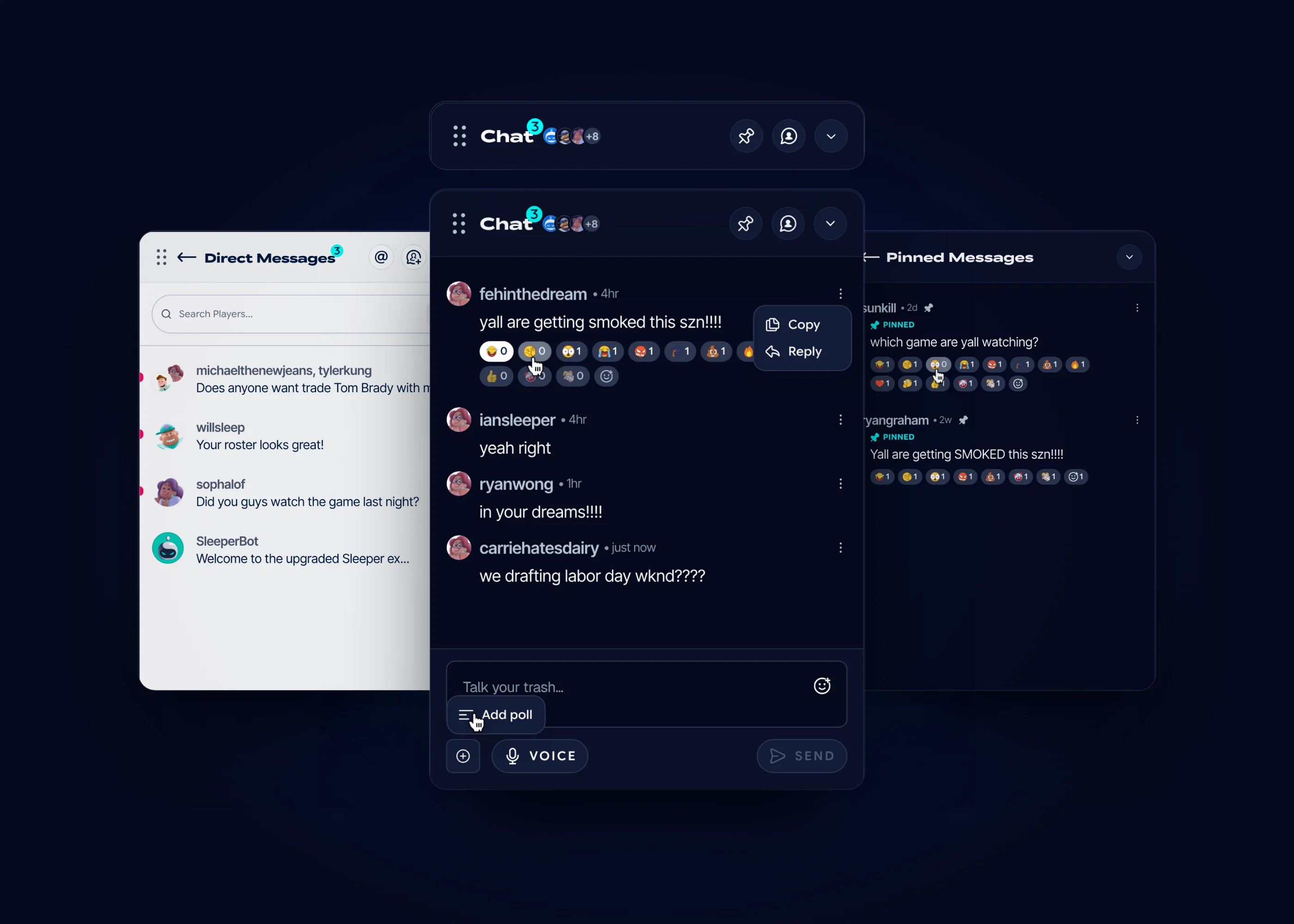
The Problem
Sleeper is trusted by 13+ million players, and a league lives in its chat: trash talk, trade talk, draft-day plans. On web, chat was a single pane with a plus, a GIF button and an emoji button. There were no DMs, no way to catch a mention from another league, nothing to keep an important message from scrolling away, and it sat on a draft screen that was already full.
My Role
Product Design Intern at Sleeper (Blitz Studios), June to August 2026.
I worked inside the design team’s 2027 design system, alongside two other interns. I was given the web chat to translate into the new design system, and I expanded it into a full system. The chat modal and reply shipped.
Tools: Figma.

Type
Product Design Internship
Created
2026
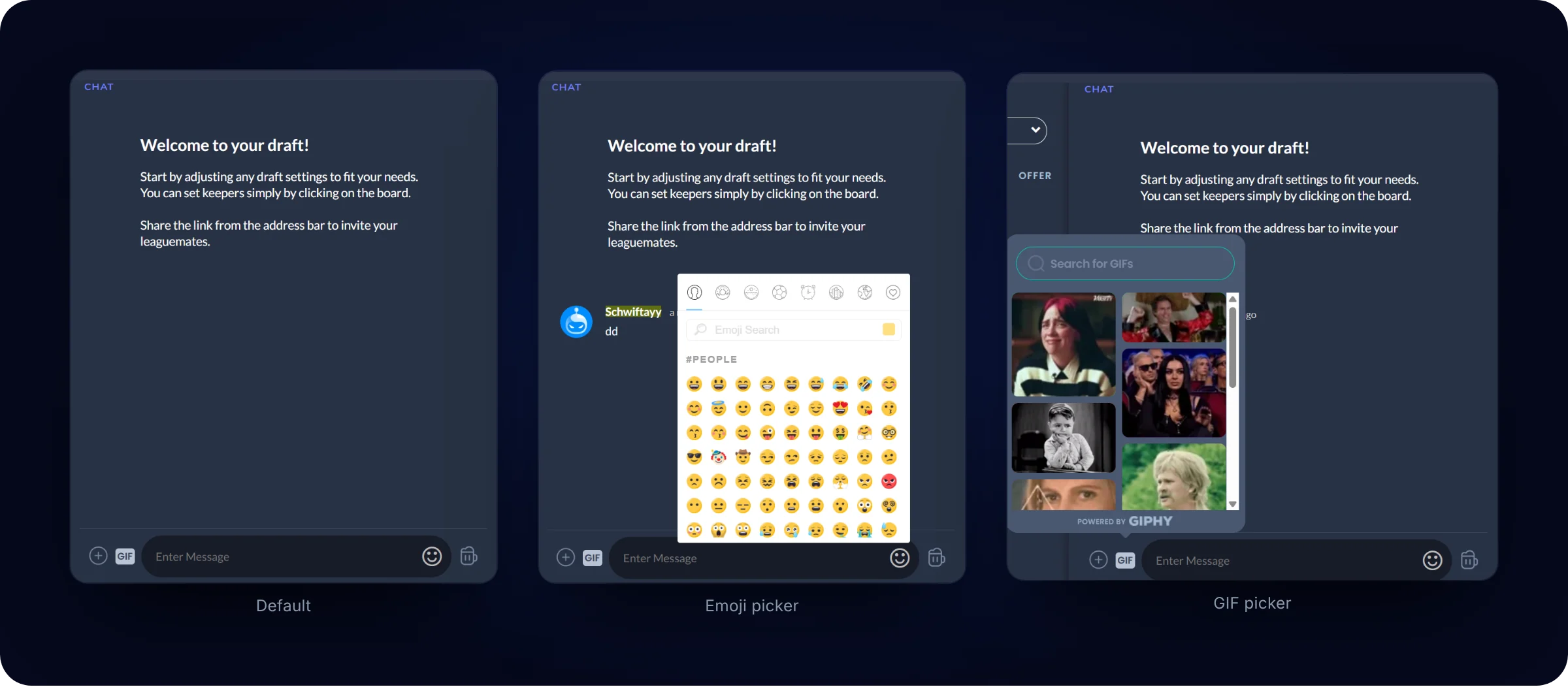
The old chat was a single-state pane with a plus, a GIF button and an emoji button. I expanded it into a full system.
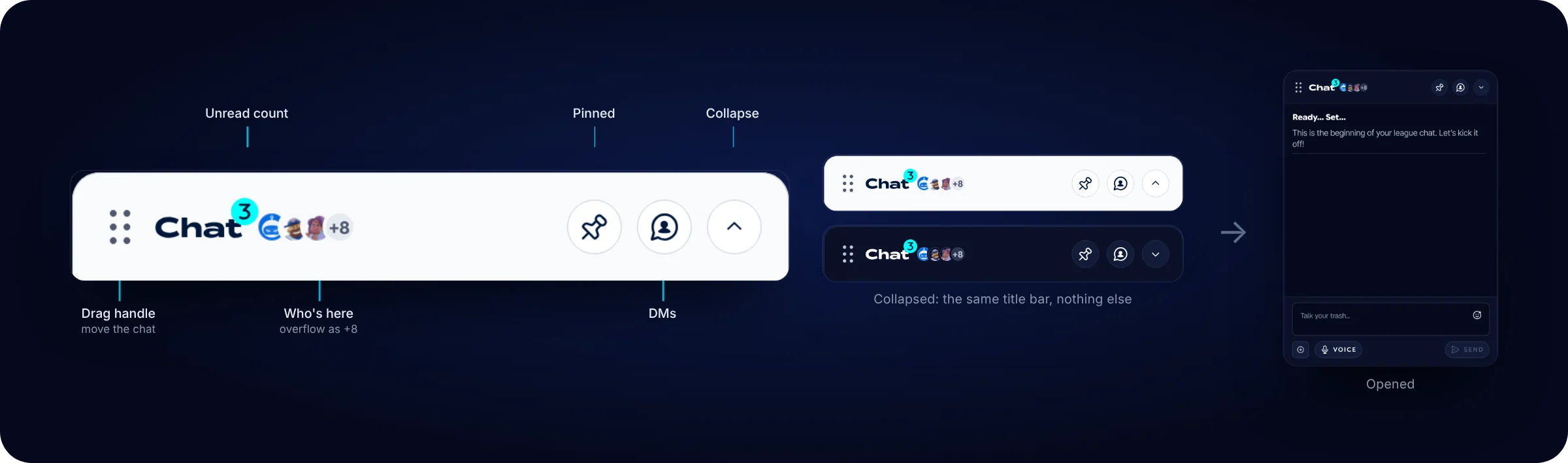
Collapsed first
A collapsed bar with an unread count and a stack of member avatars. It starts collapsed because the draft screen already carries a board, a player table and a side panel, and chat shouldn’t compete with them until you open it. Collapsed or open, it’s the same title bar: a drag handle, the unread count, who’s here, and buttons for pinned messages, DMs and collapse. Pinned messages, DMs and mentions open in place of the feed, with a back arrow to return.
DMs and group DMs
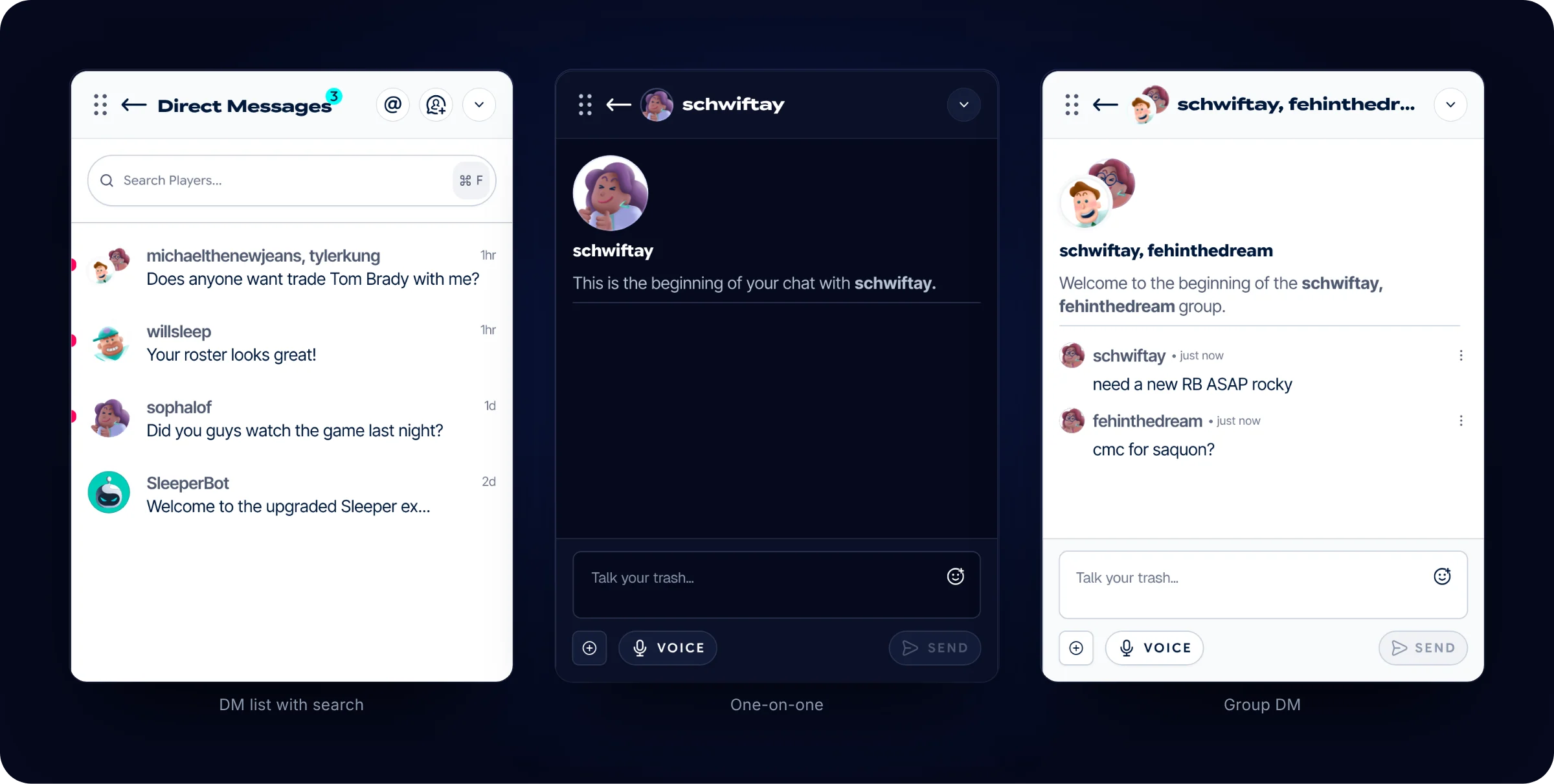
A DM list with search, one-on-one conversations, and group conversations, so trade talk and side conversations don’t have to happen in the league thread.
A mentions inbox across leagues
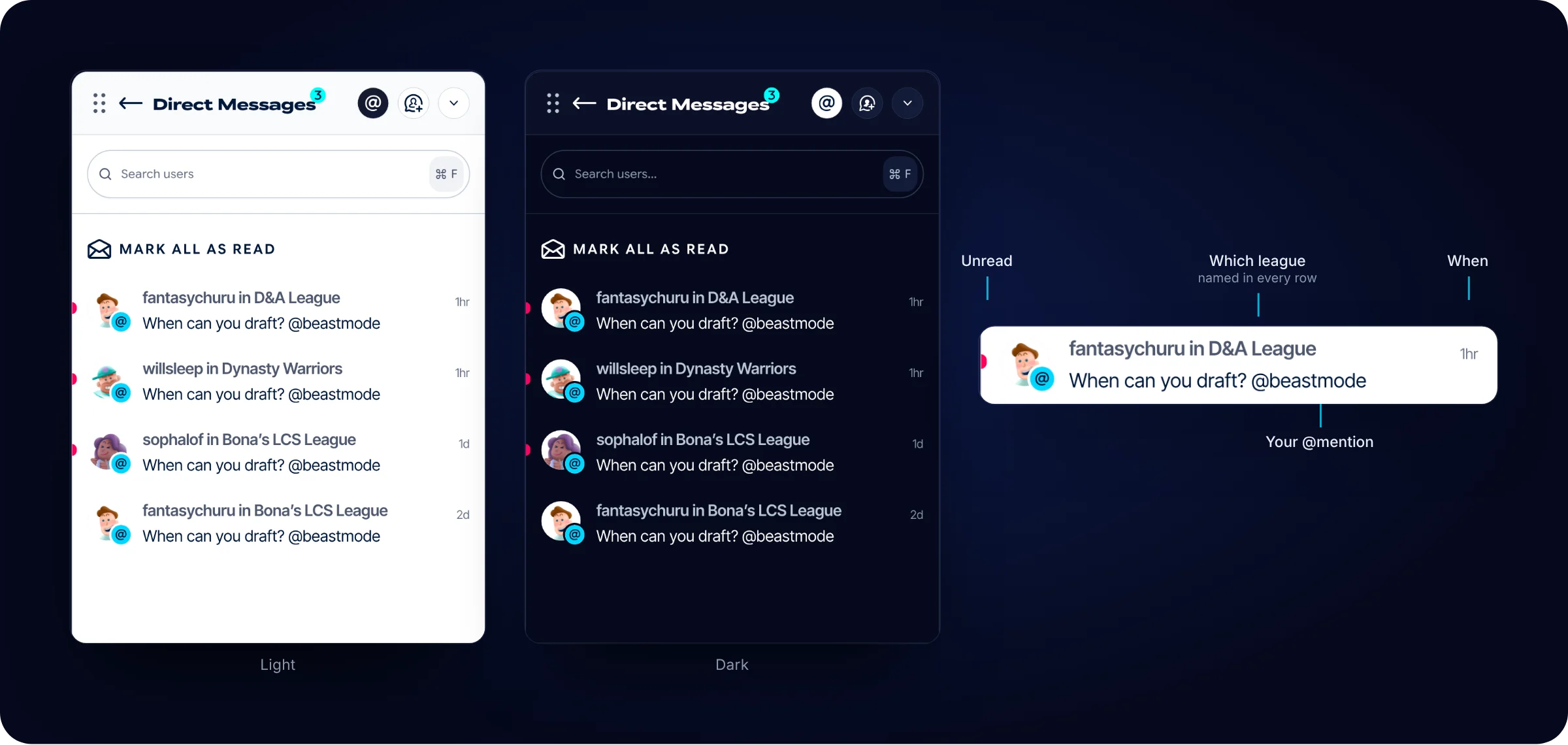
If you’re in more than one league, mentions from all of them land in one place, each row naming its league, with Mark all as read.
Pinned messages
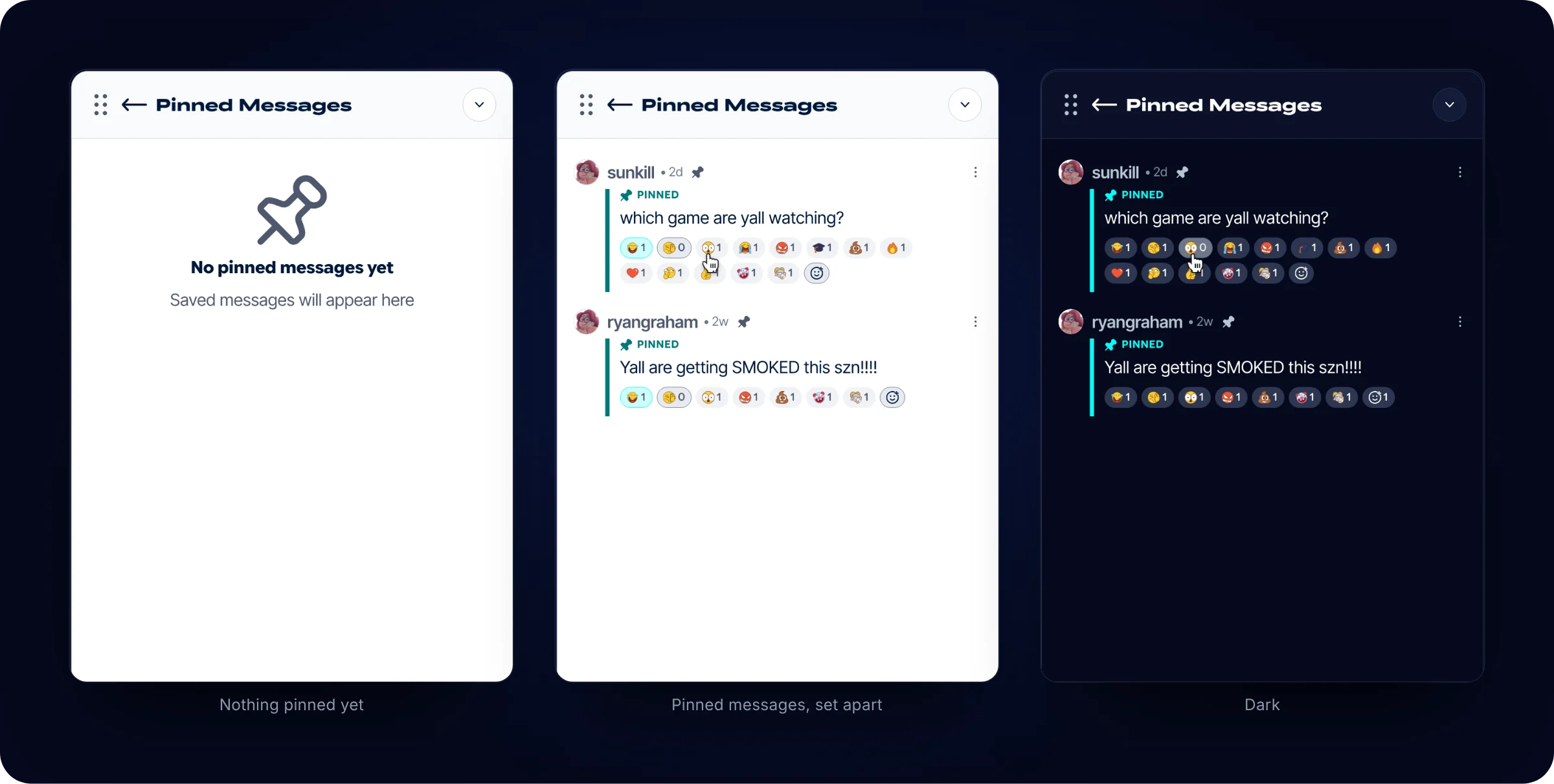
An empty state and a populated view, with the pinned message set apart, so league rules and draft-day details don’t scroll away.
One message, every kind of message
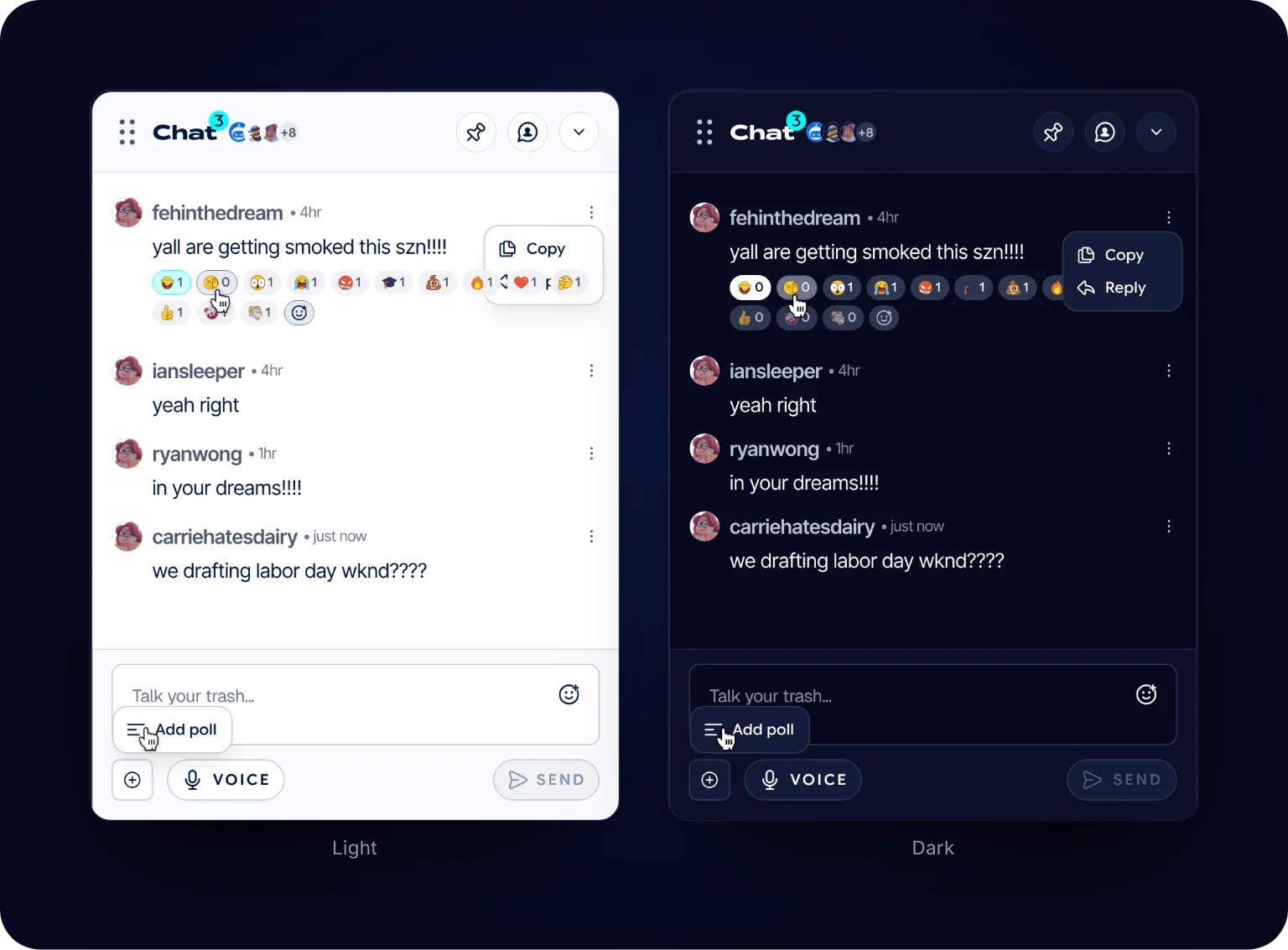
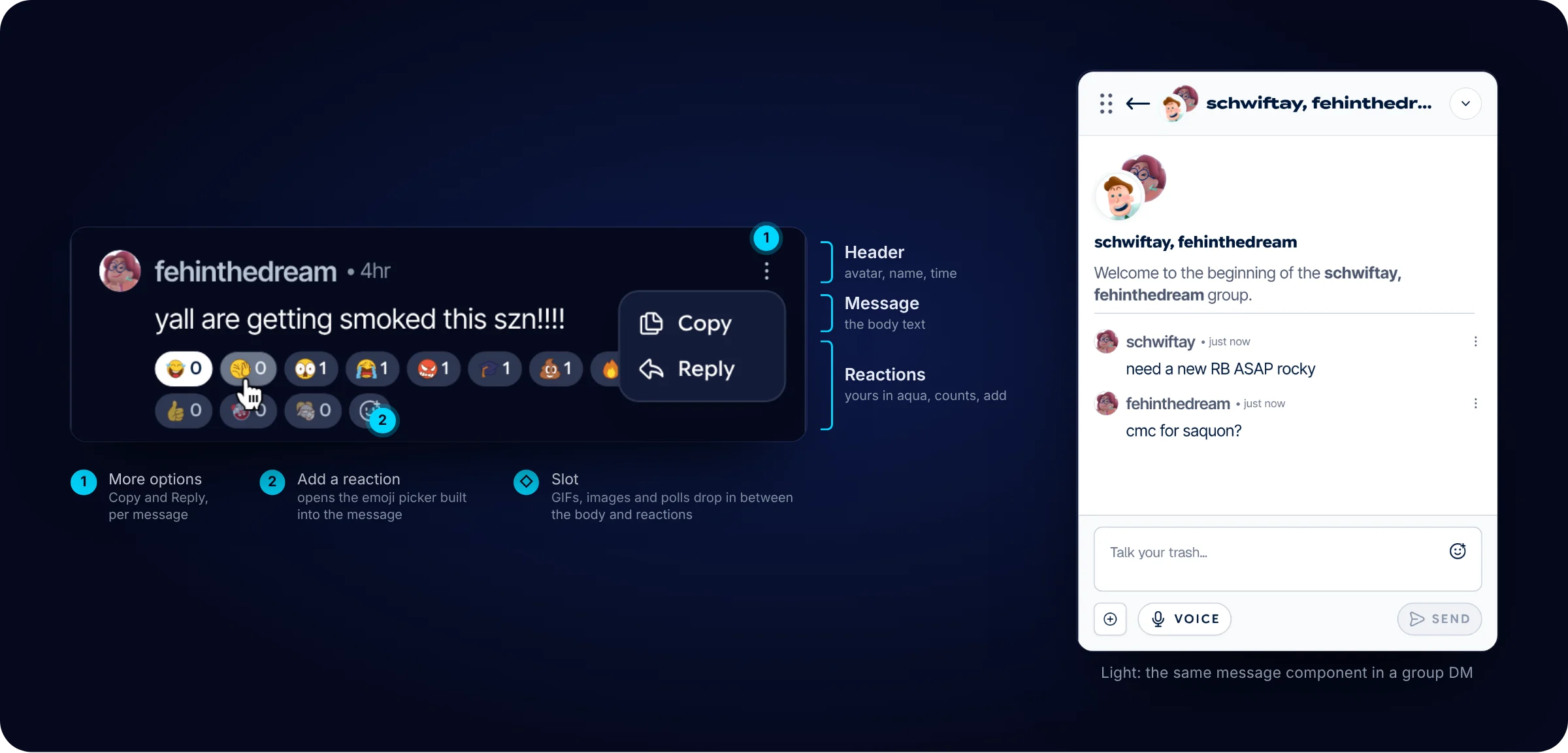
Every message is one component: a header with avatar, name and time, the body, and a row of reactions. Your own reactions show in aqua, and the add button opens an emoji picker built into the message. Between the body and the reactions sits a slot, so GIFs, images and polls drop into the same component instead of needing their own. More options holds Copy and Reply, and the attach menu adds a poll.
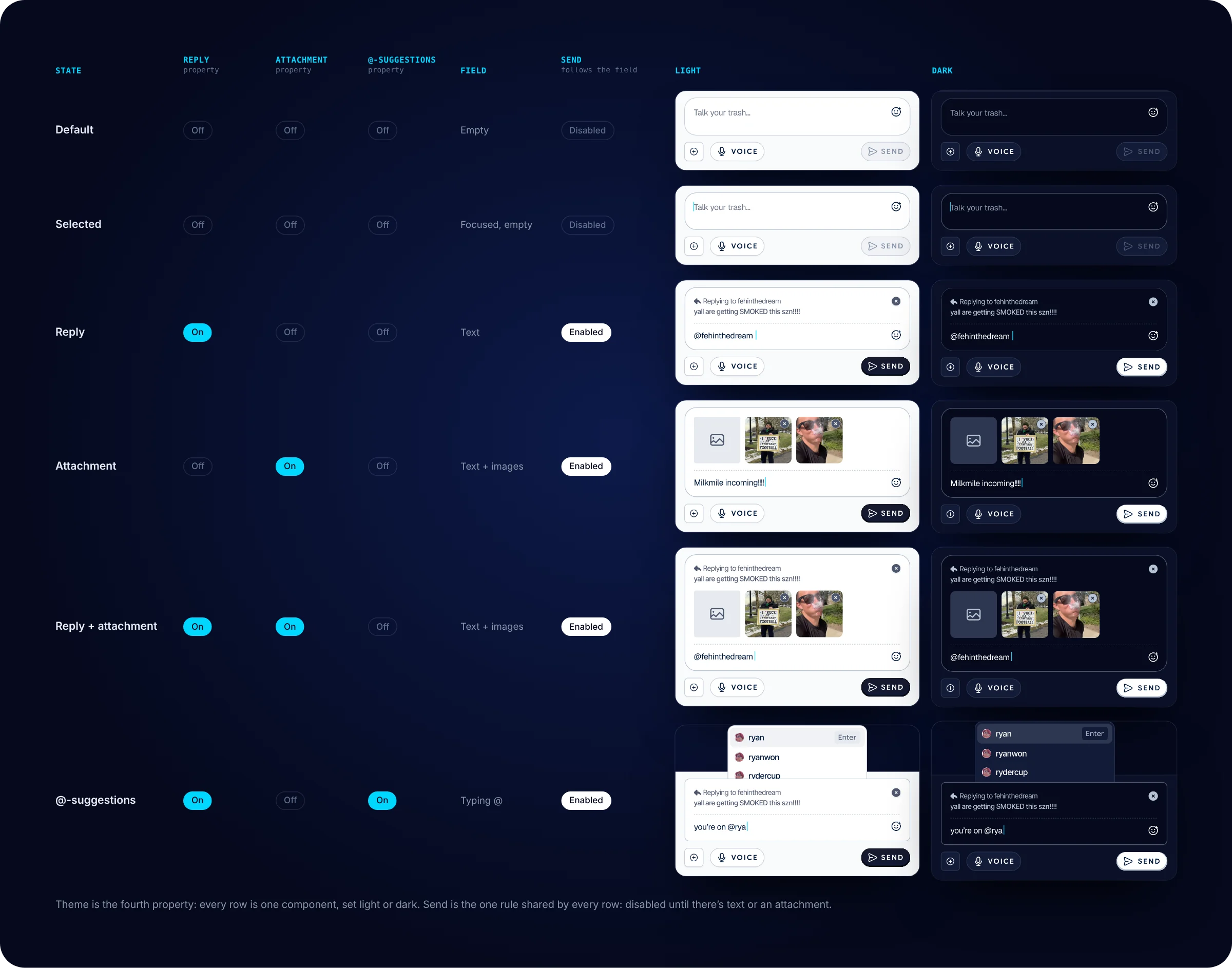
Input states
Default, selected, reply, attachment, reply with attachment, and @-suggestions, each in light and dark. Every row below is the same input component with different properties switched on, so each state shows at a glance what you’re replying to, what’s attached, and whether there’s anything to send. Send follows one rule in all of them: disabled until there’s text or an attachment. I designed that disabled state in both themes.
Built as components
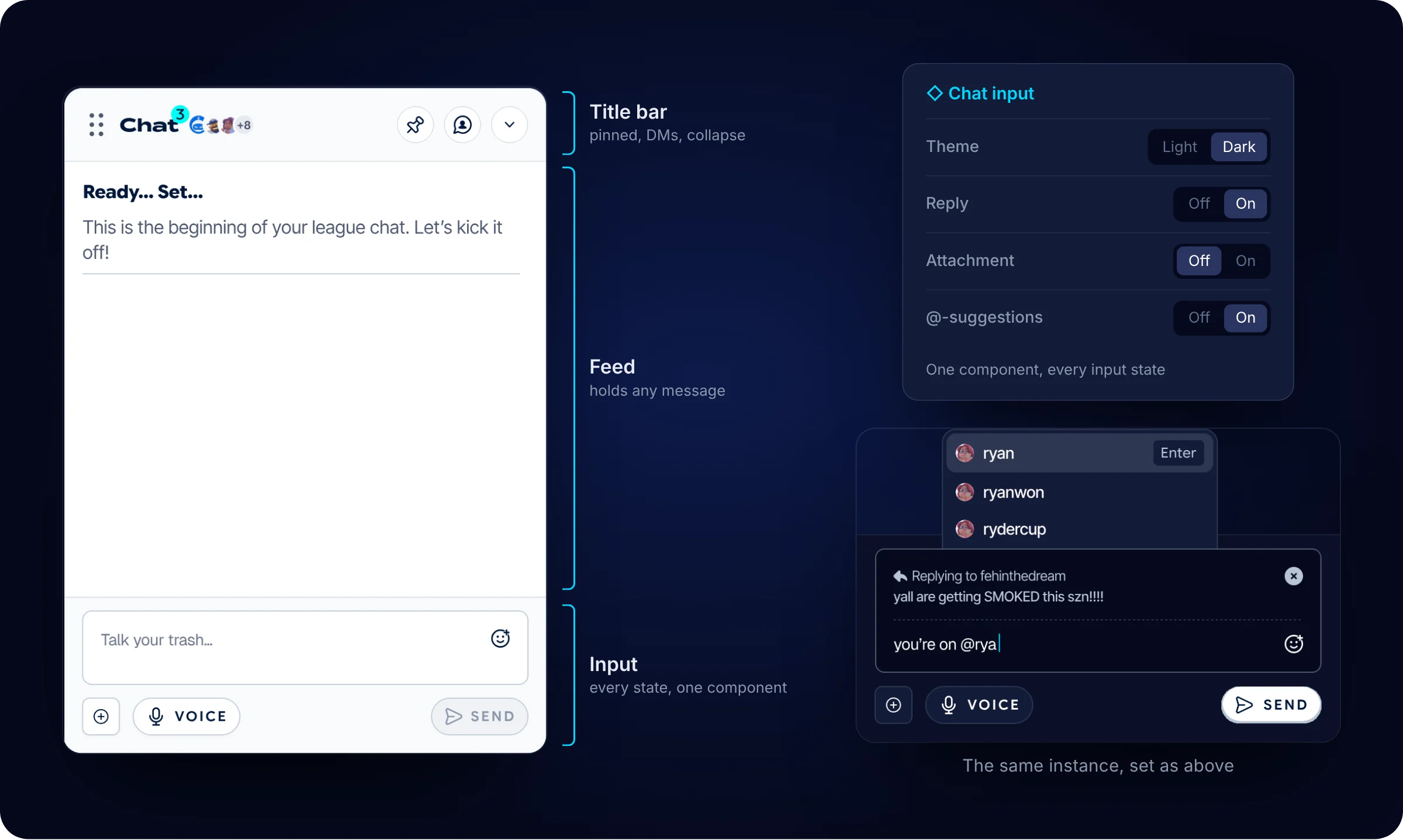
I built the chat as components, not screens. The chat component nests a title bar, a feed and an input. The feed holds a slot for messages, and each message has its own slot for rich content. The input is one component with four properties: theme, reply, graphic attachment and @-suggestions. Every input state on this page is that component with different settings, not a redrawn frame. The components are mine. The tokens, type styles, buttons and avatars they’re built on come from the design team.
Working inside the token system
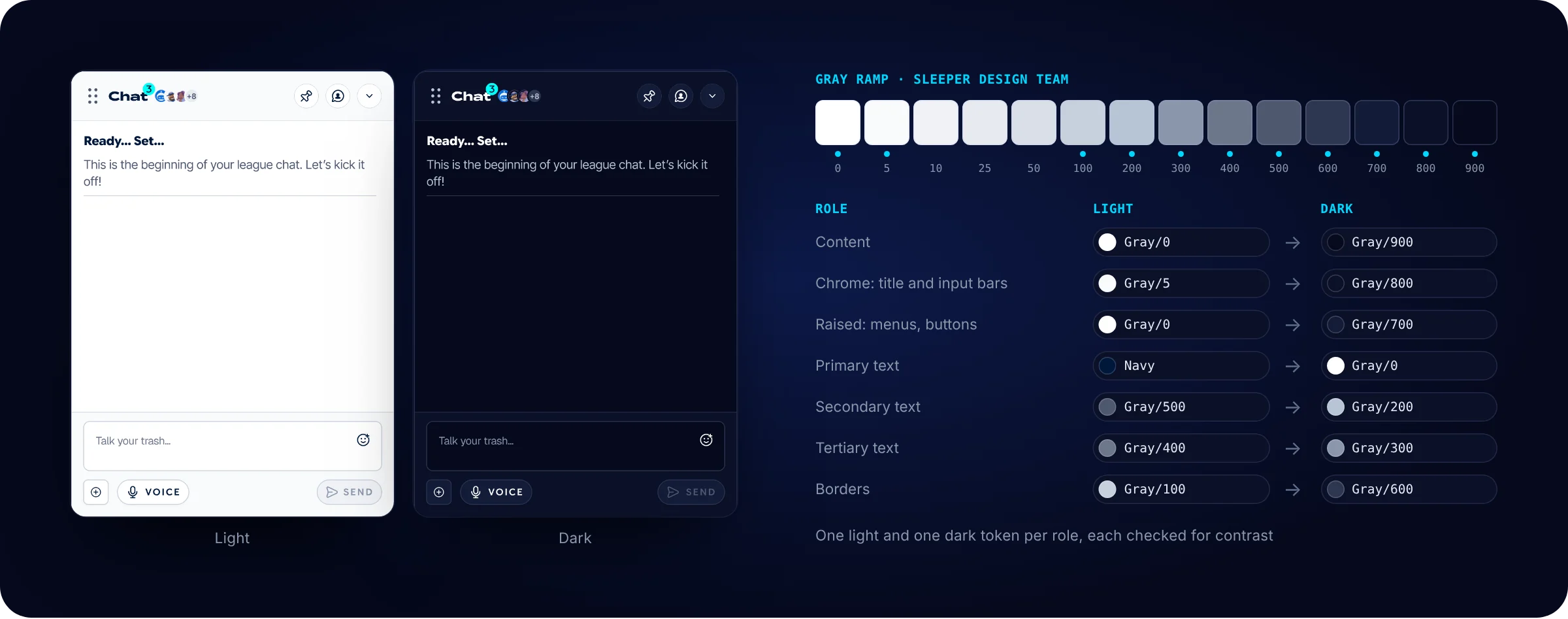
The design team had already defined the color tokens: 1,499 matched color properties across light and dark, 89 dark-only and 37 light-only. My job was to apply them, not define them. I followed the team’s gray mappings between themes, for example Gray/400 to Gray/300 and Gray/700 to Gray/25, so every chat and auction frame has a matching light and dark state. The ramp is the design team’s. Below, each role in the chat gets one light and one dark token, and each pair is checked for contrast.
What Happened Next
The chat modal and reply shipped. DMs, the mentions inbox, pinned messages, reactions and attachments were designed and handed off.
What I’d Do Differently
Set up light and dark as roles from the first frame. I matched tokens frame by frame, which let small drift creep in: a layer detached here, a hex value typed in there. Starting from roles would have made consistency the default instead of something to check for.